
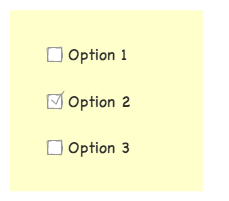
Standardmäßig stellt Contact Form 7 vor seiner Beschriftung ein Kontrollkästchen wie das folgende dar:

Sie können diese Reihenfolge umkehren, indem Sie dem Tag eine Option hinzufügenlabel_firstcheckbox .
[Kontrollkästchen your-cb label_first "Option 1" "Option 2" "Option 3"]

Kontrollkästchen als Block statt als Original-Inline darstellen
Um Kontrollkästchen als Blockfelder darzustellen, fügen Sie dem Stylesheet Ihres Designs eine Zeile mit einer CSS-Stilregel hinzu:
| 1 | span.wpcf7-list-item{ display: block; } |
Kontrollkästchen als Tabelle darstellen
Um Kontrollkästchen als Tabelle darzustellen, fügen Sie dem Stylesheet Ihres Designs diese CSS-Stilregeln hinzu:
| 12 | span.wpcf7-list-item{ display: table-row; }span.wpcf7-list-item* { display: table-cell; } |
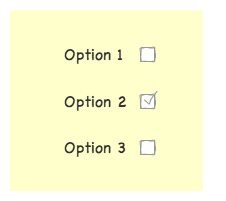
(Kombiniert mit label_firstOption)